
 VideoProc Downloader not Working
If you're experiencing issues with the VideoProc Converter AI Downloader, the causes may vary. You might encounter problems like being unable to download YouTube videos, successfully downloading only some videos, downloading videos without sound, or issues with video playback. These problems can stem from various factors, such as compatibility settings, network conditions, or software configurations.
Some issues may be due to limitations on the video platform itself, while others can often be resolved with a few troubleshooting steps. In this article, we'll guide you through effective solutions to help you enjoy smooth, uninterrupted video downloads.
⚠️ Important: We have released an update to address recent issues with YouTube downloads. Please ensure you are using a version of VideoProc Converter AI downloaded after 09:00 UTC on October 23, 2025, specifically the Mac Version 8.5 and the Windows Version 8.5. If not, please re-download the latest version from our official website.
 Answered by Bryce
"I need help with VideoProc Converter, it won't download YouTube videos for me. It says analyzed successfully, then says 'Start to download the video file, please wait. Writing thumbnail to c:/users/[my user name]/appdata/roaming/anvsoft/common/youtube/youtube-[some random letters and numbers.].webp'. It just stays in that and fails to download the video."
"I've downloaded many videos using this program in the past. Now it fails to analyze and I've tried reinstalling this Video Converter and changing the output directory but it's still the same problem. Does anyone know how to fix it?"
"I can't download from YouTube. The files end with .part, and they are not complete (14,9% or less). Other downloads at all. It happened all of a sudden."
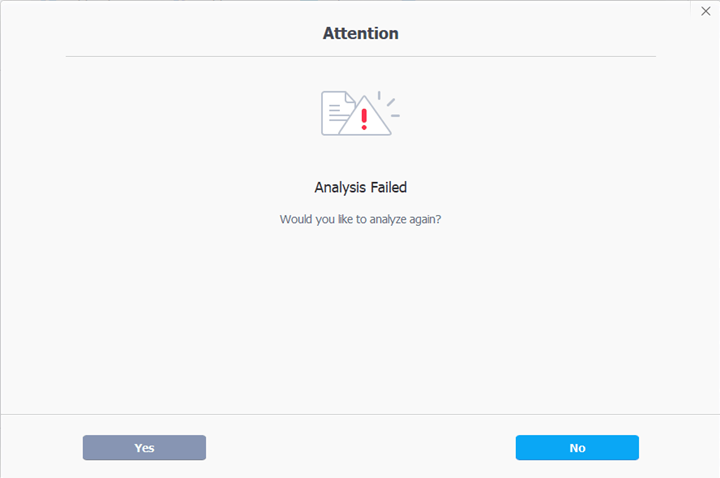
Platforms regularly update their functionality. These updates may affect the functionality of our software.
Solution:
Please rest assured and ensure you are using the latest version of the software: Mac Version 8.5 and Windows Version 8.4. Please check your current version number in Settings > About within the app. This update fixes recent issues with YouTube.
Please download the latest version of the software from our official website to continue using the application without interruption.

As always, our development team will monitor these changes and implement fixes as soon as possible. Once fixed, we will release updates to ensure the software remains stable and performs well.
We sincerely apologize for any inconvenience this may cause and appreciate your patience and continued support as we work towards improvements. If you encounter any issues, please feel free to contact our support team.
A weak or unstable network can interfere with successful video downloads.
Solution: Check your internet connection. Make sure it's active; if using Wi-Fi, try switching to a wired connection or resetting your router.
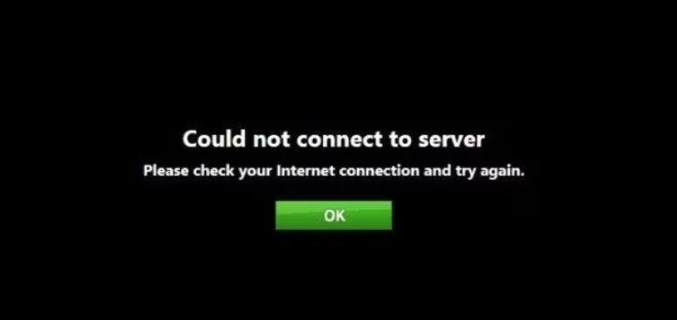
On October 4, 2024, there were download issues all over the world. Fortunately, we have fixed this issue for Windows 8 or newer OS users. Python environment needs 3.9 or above.
Solution: We strongly recommend that you upgrade to the latest version of VideoProc Converter AI to use the "Downloader" feature properly on Windows 8 and later.
Due to changes in the Python environment, the download engine no longer supports Windows 7. This is a common limitation that affects many tools worldwide as older systems are phased out.
Solution: To use the "Downloader" feature properly, ensure your system is upgraded to Windows 8 or newer.
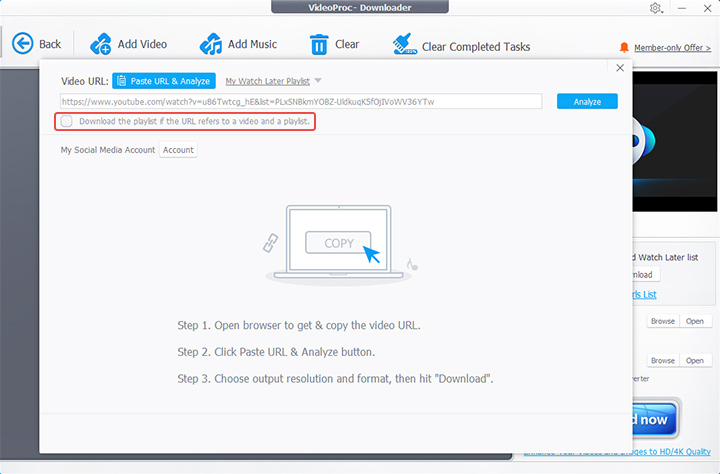
This can happen when a user only wants to download a single video but uses a video address with a playlist suffix. VideoProc Converter AI may take longer to parse a playlist than a single video.
A typical YouTube video URL could be: https://www.youtube.com/watch?v=VIDEO_ID&list=PLAYLIST_ID
Also, using short links can cause downloads to fail. To avoid this, use the regular YouTube video link like this: https://www.youtube.com/watch?v=VIDEO_ID.
Solution: We've updated VideoProc Converter AI to resolve this. To download a single video instead of the entire playlist, keep the box below the video address bar unchecked. Conversely, check the box to download the whole playlist.
Some videos have age restrictions that can block downloads.
Solution: Sign in to your account to confirm your age if you receive a prompt about age limitations.
Downloading M3U8 files can sometimes be problematic due to format restrictions.
Solution: If analysis of M3U8 files is successful but downloads fail, try downloading in other formats instead.
If you encounter restrictions based on your location, you may be blocked from accessing certain content.
Solution: Use a VPN to connect through a different location, which can help bypass regional restrictions.
Certain video platforms require you to be logged into your account to download content.
Solution: Ensure you are logged into the relevant video platform account before attempting to download, as this is crucial for accessing user-specific content.
Private videos often require specific permissions for downloads.
Solution: If you're trying to download a private video, make sure you are logged in with an account that has access to it.
Some websites may not be supported by VideoProc, leading to download failures.
Solution: If the site you're trying to download from is unsupported, search for the video on other supported sites and attempt to download it again.
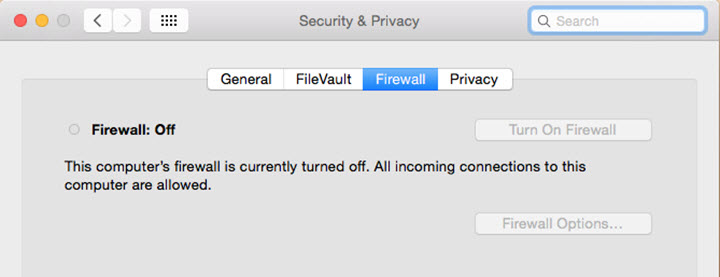
Antivirus software or firewalls may block the downloader from functioning properly.
Solution: Temporarily disable your antivirus and firewall to see if downloads improve. Some users have reported success after adjusting these settings.
Using a VPN may cause download issues for some users.
Solution: Disable your VPN, as many users have resolved their problems by simply turning it off.
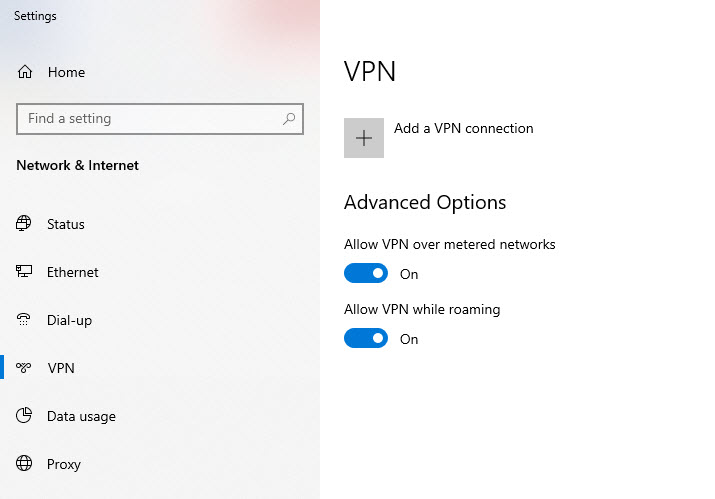
Robot verification can prevent video downloads, especially when using a proxy or VPN.
Solution: Disconnect from your proxy or VPN and try again. Switching to a different IP address may help bypass verification checks.
By following the troubleshooting steps outlined in this article, you should be able to resolve most download issues. If problems persist, don't hesitate to contact VideoProc support for further assistance. Happy downloading!

Digiarty Software, established in 2006, pioneers multimedia innovation with AI-powered and GPU-accelerated solutions. With the mission to "Art Up Your Digital Life", Digiarty provides AI video/image enhancement, editing, conversion, and more solutions. VideoProc under Digiarty has attracted 4.6 million users from 180+ countries.
Stay current with our latest updates, guides, and subscriber-only offer.
Choose Language
Copyright © 2025 Digiarty Software, Inc. All rights reserved.
Any third-party product names and trademarks used on this website, including but not limited to Apple, are property of their respective owners.

By reinstalling the latest version, 60% issues can be solved!


